 Polyp
For reef keepers with an iPhone
See your corals grow.
Polyp gives every coral its own photo timeline. The ghost overlay lines up every shot, so you can actually see the growth, frag by frag, day by day.
Free for 1 tank and 8 corals. No account, no subscription, ever.
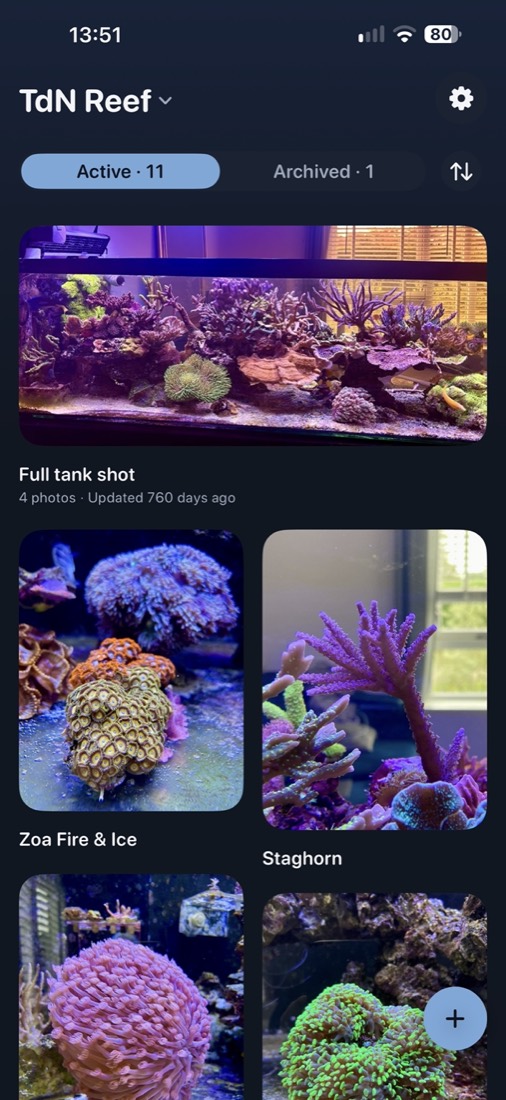
Your coral photos, finally in order
You already take coral photos. Then they vanish between screenshots, receipts and holiday pictures. Polyp keeps each coral's photos together and shows how it changes.
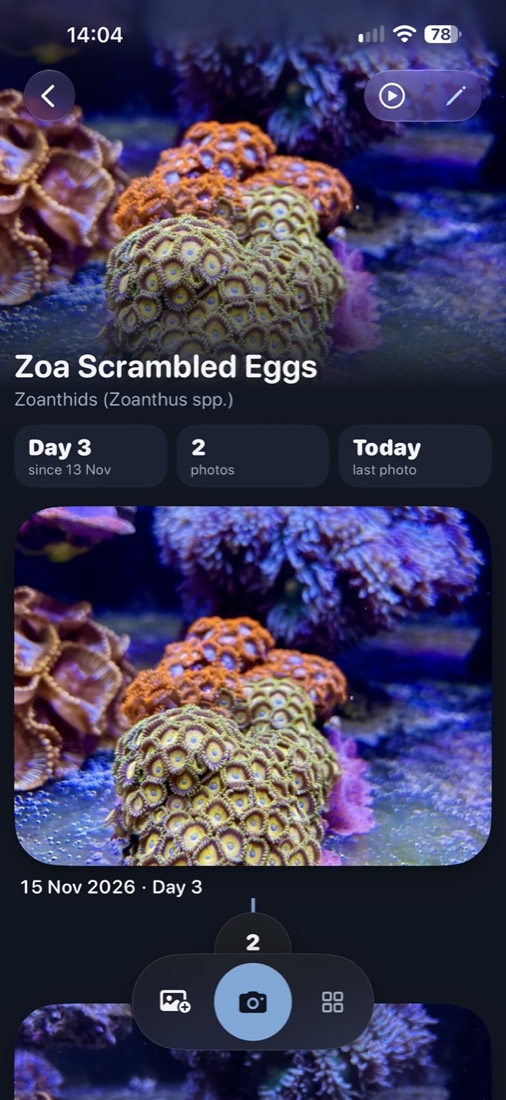
Every coral gets its own timeline
Add a coral, fish or the full tank, and its photos line up in date order.
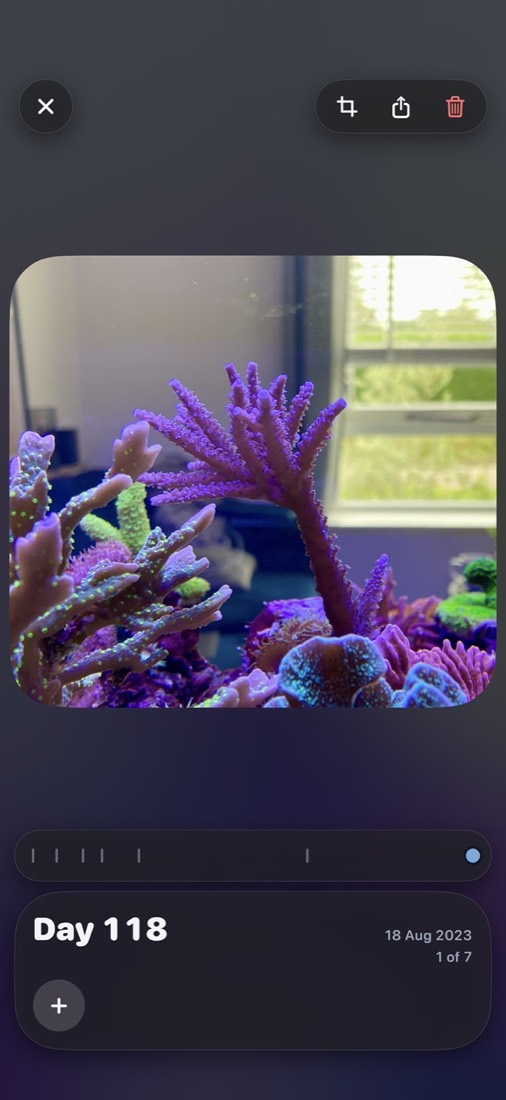
- Days between photos and the total age of each coral
- Play growth: flip through the photos like a flipbook
- Tags like Fragged, Moved, Bleaching or Recovering
Line up every shot
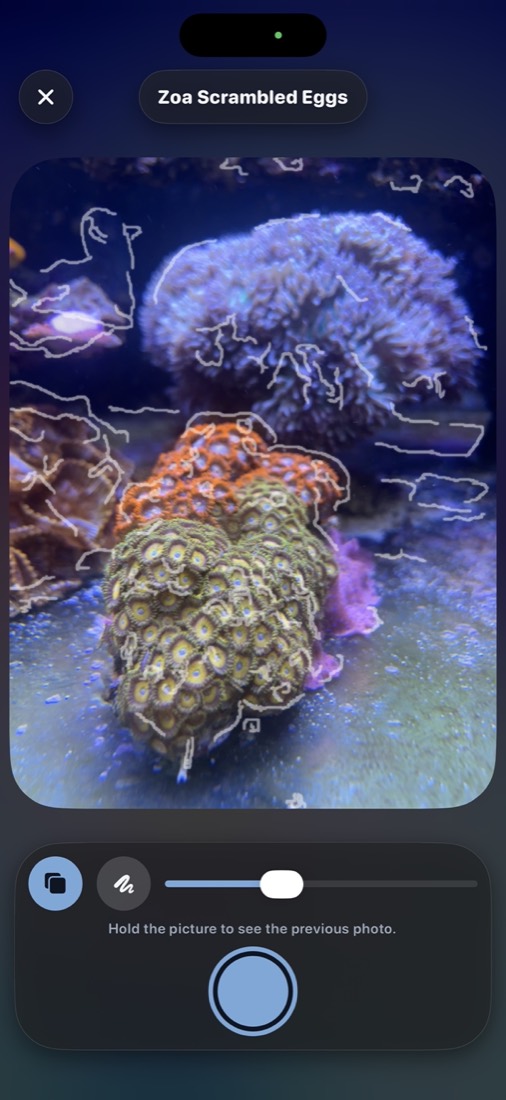
The camera shows your last photo as a see-through ghost or an outline over the live view. Match it, tap, done. When the framing matches, the growth jumps out.
Bring your old photos, with their real dates
Import the coral photos already on your phone. Polyp reads the date each one was taken, so a coral's history starts on the day of its first picture, even if that was years ago. Afterwards your camera roll can stay free of coral photos.
Share the growth
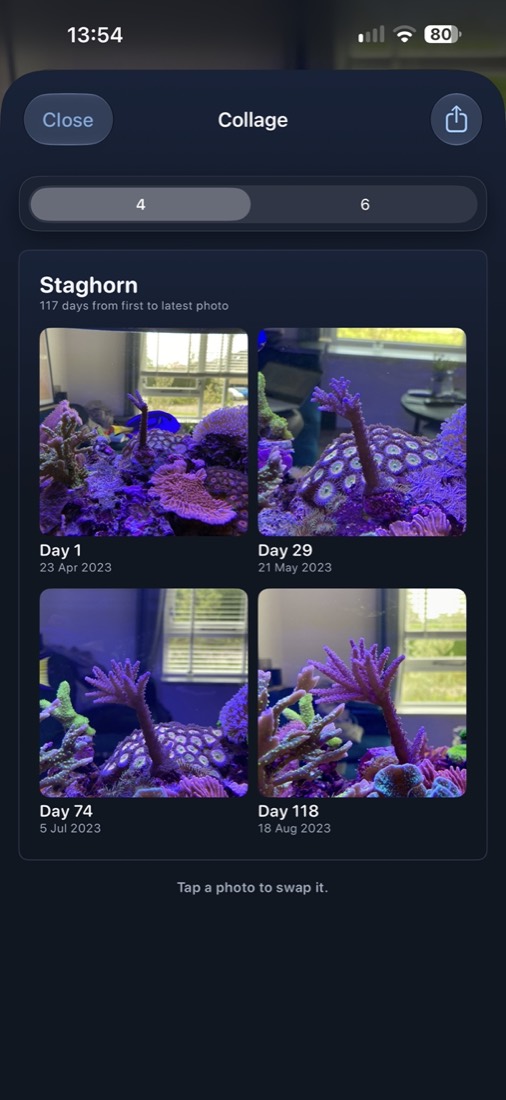
Make a collage of 4, 6 or 9 photos with dates and day counts, and send it to your reef friends or your group chat.
Blue-light photos that look normal
Reef lights turn every photo blue. Adjust fixes it with warmth, tint and an Auto button, and "Same as last photo" keeps a whole timeline consistent. Your original photo is never changed.
Safe in your own iCloud Drive
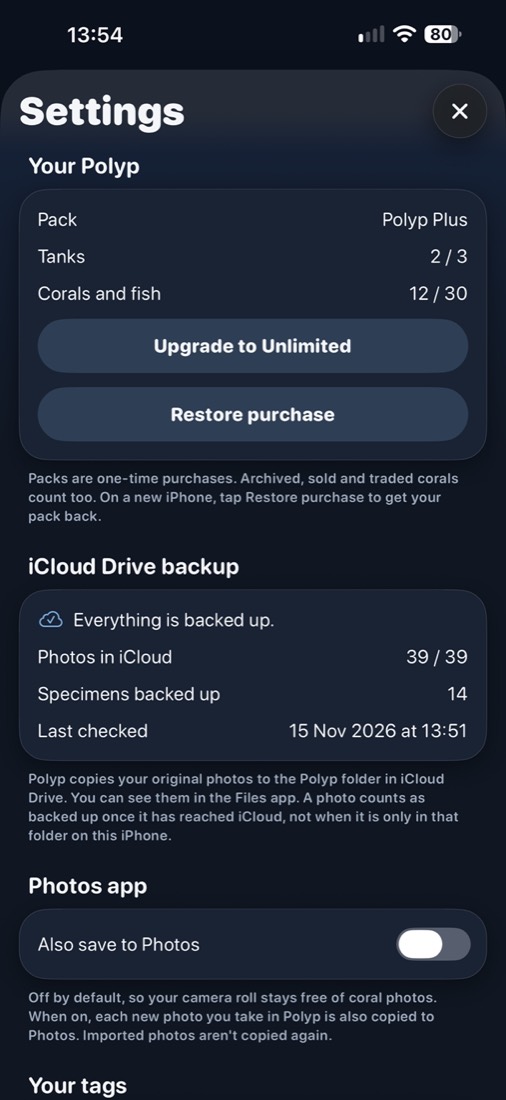
Polyp copies every original photo to the Polyp folder in your iCloud Drive, in folders named after your tanks and corals. New phone or reinstalled the app? Restore everything in one tap.
Your photos stay yours
Reef keepers already pay monthly for their controller, lights and pumps. Polyp doesn't add another subscription.
No account
Open the app and start. Nothing to sign up for.
No tracking
No analytics, no ads, no servers. The App Store label says "Data Not Collected".
Backed up in your iCloud
A copy of every photo sits in your own iCloud Drive, in folders named after your corals.
Free to start. Pay once if you need more.
Unlimited photos in every version. Your timelines are never locked.
Free
€0
- 1 tank
- 8 corals or fish
- Unlimited photos
Polyp Plus
€3.99 once
- 3 tanks
- 30 corals or fish
Polyp Unlimited
€6.99 once
- As many tanks and corals as you like
- Upgrade from Plus for €2.99
Prices in euros. The App Store shows the price in your own currency.

Made by Sander, a reefer in the Netherlands
I wanted to see my frags grow, and my coral photos were lost in thousands of others. So I made Polyp. Questions or ideas? Get in touch.
Get Polyp on the App Store